
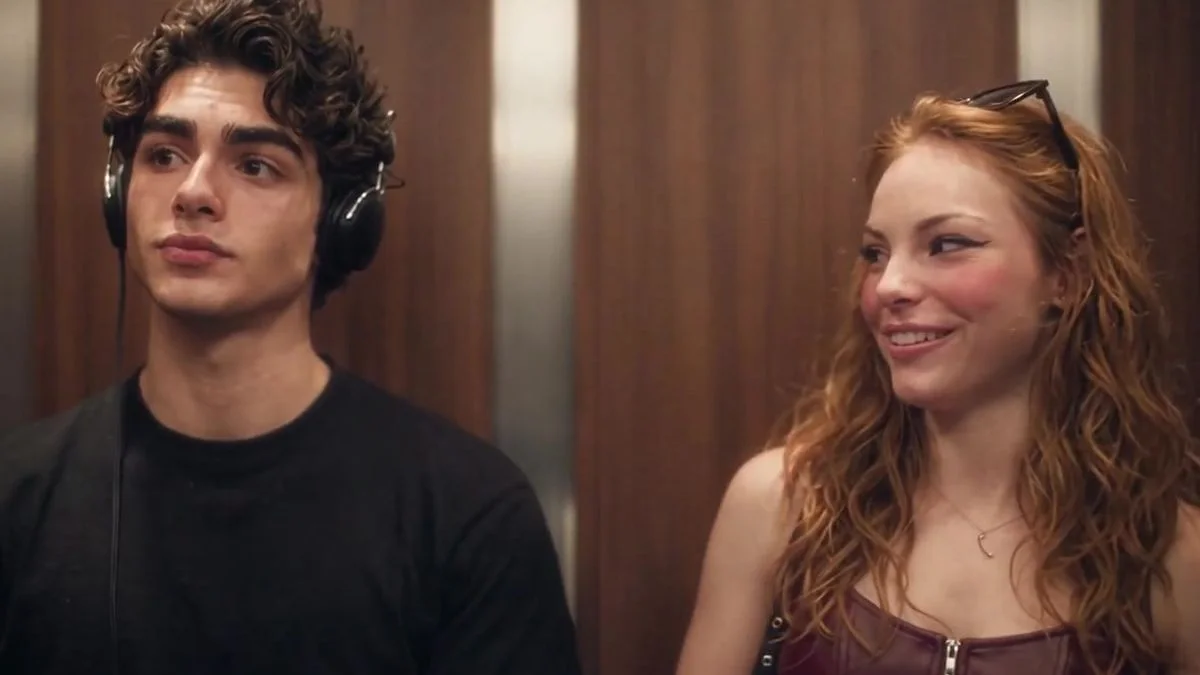
Step by step
The flow is short by design. You do not write a prompt or install an app; the template handles the scene. Keep the same browser open through checkout and generation.
- Open the studio and choose Photo 1: a clear adult portrait of the headphone listener.
- Optionally add Photo 2: a clear adult portrait of the person who says “I love the Smiths.”
- Choose 480p or 720p, then choose 9:16 vertical or 16:9 horizontal.
- Confirm that you have permission to use both photos and that everyone is an adult.
- Review the one-time price and complete secure checkout.
- Return in the same browser to check progress and download the MP4 within 30 days.
Choose the right photos
Use one person per photo. Faces should be visible, with head and shoulders in frame, even light and no sunglasses. Avoid group photos, heavy shadows, screenshots and images where the face is very small.
Photo 1 and Photo 2 are roles, not genders. Upload order matters: the first photo becomes the listener.
Choose the format
Use 9:16 for TikTok, Reels and Shorts; use 16:9 for YouTube and wider edits. 480p is the Standard option at $6.99; 720p is HD at $9.99.
The finished MP4 is 24 seconds. Resolution changes sharpness, not the story or the likeness. Pick the frame first, then the resolution that fits where you plan to share.
Checkout and generation
Generation starts only after verified payment. There is no fixed completion time; the queue and provider affect the wait. Do not pay again while an order is processing.
If checkout is unavailable, no payment is taken. If you cancel a checkout and return, keep the same options to reuse the saved photos or start a fresh order.
Download and share
Your completed video appears in Generated videos in the original browser. Download the MP4 within 30 days of completion; the service is not a permanent archive.
Optional email delivery is available only when configured. If you add an email, the private link still expires, so download your own copy.
Common questions
How long does it take?
There is no fixed completion time. The wait depends on the queue, video generation and soundtrack assembly.
What if I close the browser?
Return in the same browser and keep its cookies. If you cannot access the order, contact support with your video code.
Cast the headphone listener and the optional person who says the line. Check the final price and create your own elevator meet-cute.
Try the video studio →